Advanced Printing Technology: Production Presses, Specialty Inks and Finishing
Alec Boye, President, Mail Processing Associates
When you are ready to produce it: see our commercial printing services, or get an exact quote.
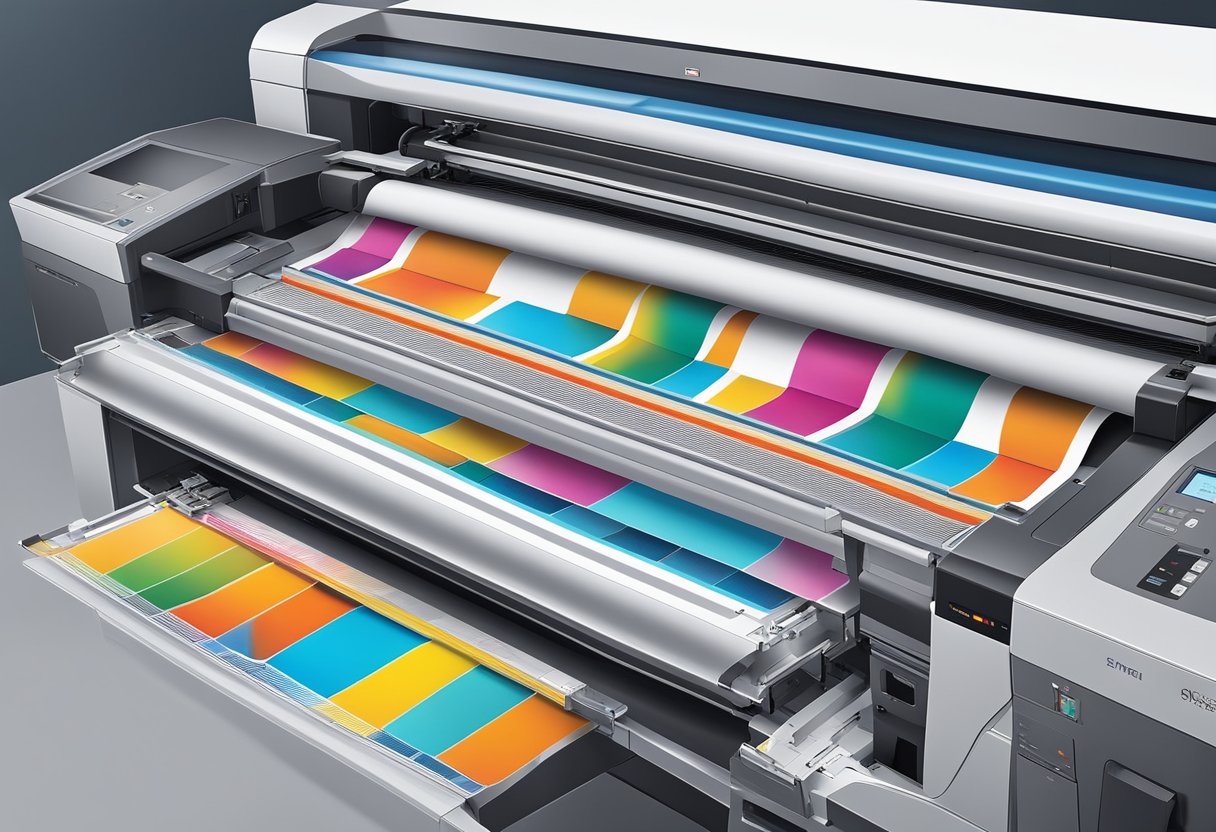
Advanced printing technology decides how fast a job runs, how personalized it can get, and how many reprints you avoid. The equipment on the floor sets the ceiling: a production press that lays down metallic and clear toner in one pass does work a four-color office printer cannot, and variable data printing turns one file into thousands of individually addressed pieces. Our team runs both from a single Lakeland, Florida plant, so a run of marketing postcards and a HIPAA-compliant statement mailing move through the same in-house workflow.
Mail Processing Associates has operated from a single Lakeland, Florida facility since 1989, serving more than 700 lifetime business customers across all 50 states. Our in-house equipment lineup includes the Xerox Iridesse production press, capable of production color output with metallic gold and clear specialty toners in a single pass; the Xerox Versant for high-volume color; and the Xerox Nuvera for high-volume black-and-white. We are SOC 2 Type 2 audited, HIPAA compliant, and presort in-house and induct mail directly at the USPS Business Mail Entry Unit (BMEU). Variable data printing enables each of the pieces we produce to carry unique personalized content, which lets a single production run speak to each recipient by name, offer, and location. We currently hold a 5.0-star rating across 100+ verified Google reviews, reflecting consistent quality on jobs ranging from 500-piece personalized postcards to large-format runs.
Our team combines commercial printing and mail production under one roof, which cuts the handoffs that add days and cost when printing and mailing sit at separate vendors. Files are proofed, color-managed, and printed in-house, then presorted and entered directly with the USPS from the same building. The result on a direct mail job is fewer touchpoints, one point of accountability, and a piece that lands looking the way it did on the proof.
The rest of this article walks through what advanced printing technology actually covers: the presses themselves, print quality and color management, production speed, variable data and customization, substrates and finishing, cost and sustainability, and how a file moves from prepress to the mailstream.
What Advanced Printing Technology Looks Like on a Production Floor
"Advanced" is measurable on a spec sheet. On our floor it means a Xerox Iridesse six-station production press that prints CMYK plus two specialty dry ink stations, running metallic gold and clear, in a single pass, a Xerox Nuvera for high-speed black-and-white, a Xerox Versant for color volume, and a Phoenix UV coater for in-house flood coating. The sections below translate that equipment into what you can actually order.
Key Features of Advanced Printing
Three features separate advanced printing technology from office equipment: resolution and registration good enough for photographic detail, specialty dry inks beyond CMYK, and variable data printing that can change every piece in a run. The Iridesse carries its specialty inks in two dedicated stations, one laid down under the CMYK image and one over it, and those stations can hold any two of metallic gold, metallic silver, white, clear, or fluorescent pink. We keep metallic gold and clear loaded as our standard configuration, which covers foil-look accents and gloss highlights in the same pass as the CMYK image.
Variable data printing enables personalized communication, allowing you to customize print materials for individual recipients. This feature is essential for direct mail campaigns. On-demand production gives you the flexibility to print only what you need when you need it, minimizing waste and storage costs.
Evolution of Commercial and Digital Printing
Commercial printing has moved through two eras: offset presses that won on cost for long static runs, and digital production presses that removed plates and makeready so short runs and per-piece personalization became affordable. Current-generation digital equipment closed most of the remaining quality gap and added specialty toners (white, clear, metallics) that older processes could only approach with extra press units or foil stamping. Printing United Alliance, the printing industry's principal trade association, tracks this offset-to-digital shift in its annual State of the Industry research.
The dividing line keeps moving as digital presses get faster. Work that required plates a decade ago, such as a 5,000-piece color brochure run, now comes off a digital production press at equal quality with no makeready waste and a shorter schedule.
At Mail Processing Associates, the production floor is digital end to end: the Iridesse for color and specialty-toner work, the Versant for color volume, the Nuvera for high-speed black-and-white, and the Phoenix UV coater for finishing. The same lineup prices a 500-piece personalized run and a recurring statement program without retooling.
▶ Learn about our kit assembly and fulfillment - Learn more about our fulfillment services
Print Quality and Color Management
Print quality on a production press is engineered, not eyeballed. It comes from press calibration, ICC profiles matched to the stock, and file checks that catch problems before the first sheet runs, and it is the difference between a run that matches the proof and an expensive surprise.
Color Management Techniques
Color management ensures that the colors in your prints accurately reflect the original design. On a production floor that work happens in three places:
- Calibration: our team calibrates each press on a regular schedule, so output stays stable from the first sheet of a run to the last.
- ICC Profiles: International Color Consortium (ICC) profiles are built for the specific press, toner set, and paper stock, so the same file prints the same way on every rerun.
- Soft Proofing: calibrated on-screen proofs simulate how colors will appear when printed, allowing adjustments before final output.
Achieving High Print Quality
On the file and stock side, a few factors decide most of the outcome:
- Print Resolution: aim for a minimum of 300 DPI (dots per inch) for images. Higher resolutions produce sharper printed detail.
- Paper Quality: choose appropriate paper stock; smooth or specialty papers can enhance color vibrancy and text clarity.
- Stock and Ink Interaction: metallic and clear dry inks read differently on coated versus uncoated sheets, so the stock decision is part of the color plan rather than an afterthought.
Our team profiles each press to a known ICC target and pulls a proof before a full run commits, so the reds in a logo and the skin tones in a photo come off the Iridesse the way the file specifies rather than however the machine defaults.
Coating, Finishing, and Bindery Options
Finishing decides how a piece feels in hand and how well it survives the mail stream. The main options:
- UV Flood Coating: our Phoenix UV coater applies a gloss coat across the full sheet in-house, deepening color and protecting the piece from scuffing in transit.
- Cutting, Scoring, and Folding: every mailable format, from a flat postcard to a folded self-mailer, is trimmed and folded in the same building that printed it.
- Saddle Stitching: booklets of 8 to 64 pages, stapled through the folded spine, the standard construction for catalogs, programs, and newsletters.
- Perfect Binding: square-spined books for page counts of 40 or more, where a stapled spine stops being practical.
The right finish depends on the job: a matte stock keeps a text-heavy report readable, while a gloss or UV coating makes a postcard's colors pop and shields it from the wear of the mail stream. Our team helps you match the coating and stock to how the piece will be handled and mailed before the run starts.
Production Speed and Automation
Speed on a production floor is a schedule question: how quickly a job moves from approved proof to trays at the loading dock. The presses set the pace, and automation keeps them from stopping.
What Production Throughput Buys You
The Iridesse runs full color at production speed, and the Nuvera moves statement and letter work at high-volume black-and-white speed. In practical terms, that throughput means a five-figure postcard run is measured in press-hours rather than days, and a recurring monthly mailing can hold the same schedule month after month.
Automation on a Variable Data Run
On a variable data run, our team scripts the merge so each record pulls the correct name, address, and any personalized fields straight from the data file, and the press holds registration and color across a long run without an operator re-checking every sheet. That is what keeps a 500-piece postcard drop and a high-volume statement job both moving on schedule.
Where Efficiency Is Actually Won
Real efficiency comes from treating printing and mailing as one workflow instead of two vendors' separate problems. Every handoff between a print vendor and a separate mail house adds transit time, another file transfer, and another chance for error.
Where our team adds the most efficiency is upstream of the press: a clean, presorted, NCOA-updated data file means fewer undeliverable pieces, a lower postage bill, and no mid-run stops to fix bad records. The print step is only as efficient as the data feeding it.
Efficiency in printing is less about any one fast machine and more about removing the handoffs and errors between file, press, and mailbox.
🔍 Free Tool - Check your print file for free - DPI, bleed, CMYK, fonts
Customization, Versatility, and Printing Options
Customization is where production equipment earns its keep: variable data merges, specialty toner accents, and per-job stock and finish choices all come off the same press line. Here is what each option covers.
Substrates and Stock Choices
Stock selection is a production decision, not a checkbox. Text-weight sheets suit letters, inserts, and booklet interiors. Cover-weight stocks give postcards and self-mailers the stiffness to meet USPS thickness minimums and survive automated processing. Coated sheets sharpen photography, while uncoated stocks read as premium, take handwriting well, and change how specialty inks land.
Specialty dry inks add another variable: metallic gold reads brightest over dark, coated stock, and clear accents show best where gloss contrasts with a matte background. Our team will tell you before the run, not after, how a stock choice changes the printed result.
Custom Print Settings and Options
Print settings give you real control over the output: color profile, scale, and resolution all get set per job, and finish types like matte or gloss change how the piece reads in hand. For instance, a mailer meant to feel premium runs on a coated stock, while a form built to be written on stays uncoated.
Custom settings let you optimize each job for its final use, whether high-end marketing collateral or plain shipping labels. Locked into a job ticket, those settings keep every reprint consistent with the first run and with your brand standards.
Coding and Variable Data Printing
Variable data printing (VDP) allows you to customize elements such as text and images in real time. This technology is useful for creating unique promotional materials that resonate with specific audience segments. You can easily incorporate coding for inventory management and tracking.
Integrating VDP into a campaign means one press run can address a donor by name, print a household's renewal date, or drop a scannable QR code unique to each recipient. Because the personalization is driven from the data file, adding it does not slow the run or require a separate pass.
Our team produces variable data work every week, from personalized postcards to statement mailings, so the merge logic and data handling are already proven rather than being figured out on your job.
Cost-Effectiveness and Sustainability
Production printing controls cost in ways a unit price does not show: fewer reprints, less setup waste, and postage saved by clean data. The same habits that cut cost usually cut environmental impact too.
Strategies for Cost-Effective Printing
The savings that matter on a production job come from a few practices:
- Preflight Checks: a file check before production catches low resolution, missing bleed, and color problems, the mistakes that otherwise become paid reprints.
- No-Makeready Short Runs: digital production skips plates and makeready sheets, so a 500-piece run is priced on 500 pieces, not on setup waste.
- Data Hygiene: postage is usually the largest cost on a mail job, and every undeliverable record on the list is postage spent on nothing.
Sustainable Printing Practices
The same logic runs the sustainability side:
- On-Demand Quantities: printing to the mailing list, not to a pallet estimate, is the single biggest waste reducer in direct mail.
- Recycled and Responsibly Sourced Stocks: recycled-content papers are available for most formats without a visible quality tradeoff.
- Digital Proofing: soft proofs replace printed proof rounds, saving paper and shipping on every approval cycle.
On the cost side, the biggest savings on a mail job usually come before ink hits paper: digital proofs instead of printed ones, a data file scrubbed so you are not paying postage on undeliverable addresses, and right-sizing the run so you print what you will actually mail. Our team flags those savings during file prep rather than after the invoice.
Integrations and Advanced Software Features
Production software is the quiet half of print capability: prepress tools that normalize files to press-ready PDF, imposition software that arranges pages on the sheet, and variable data engines that merge records into artwork. Knowing what happens to your file after upload helps you prepare it well.
Preparing a Press-Ready File
A press-ready file is a PDF with fonts embedded, images at 300 DPI or better, CMYK color, and 0.125 inches of bleed past the trim line. Files that arrive as native design documents, image collections, or office formats get normalized to that standard in prepress before anything is imposed on a press sheet.
On the production side, our team handles the file prep most businesses find fiddly: flattening and converting artwork to a print-ready PDF, checking that images clear 300 DPI, confirming CMYK color and correct bleed, and batching multi-file jobs so a large mailing goes to press clean. Catching a low-resolution image or a missing bleed at this stage is what prevents a reprint later.
From Press to Mailstream
The last integration is physical rather than digital: finished pieces move from the press to addressing, presorting, and USPS entry without leaving the building. We presort in-house and induct mail directly at the USPS Business Mail Entry Unit, so the sort built in software carries through to the postage statement and there is no gap between the print schedule and the mail date.
Advanced Commercial Printing Capabilities: Common Questions
What are the most advanced printing technologies available today?
Leading commercial printing technologies include high-speed digital production presses, variable data printing (VDP), spot color printing with metallic and specialty toners, and large-format inkjet. Mail Processing Associates runs a Xerox Iridesse production press capable of printing metallic gold and clear specialty toners alongside CMYK in a single pass, along with a Xerox Versant and Xerox Nuvera for high-volume output.
What types of services are typically offered by advanced printing companies?
Advanced printing companies typically offer digital printing, variable data printing, direct mail production, EDDM, lettershop services, fulfillment, and specialty finishing such as UV coating and bindery work. Mail Processing Associates provides all of these from a single Lakeland, Florida facility serving businesses in all 50 states.
What capabilities does variable data printing offer?
Variable data printing allows each printed piece to carry unique text, images, barcodes, or QR codes drawn from a database. This is essential for personalized direct mail campaigns, HIPAA-compliant statement printing, and donor appeals where every recipient receives a customized piece.
How do advanced printing companies achieve high print quality?
High print quality relies on press calibration, ICC color profiles, minimum 300 DPI image resolution, and careful paper stock selection. Pre-press file checks catch issues before production begins. Mail Processing Associates holds a 5.0-star rating across 100+ verified Google reviews and is SOC 2 Type 2 audited.
What finishing options do advanced commercial printers provide?
Common finishing options include matte and gloss stock choices, UV flood coating, cutting, scoring, folding, saddle stitching for booklets of 8 to 64 pages, and perfect binding for page counts of 40 or more. The right finish depends on the piece type, audience, and whether the piece will be mailed.
How do I evaluate an advanced printing company for a direct mail project?
Evaluate the provider on in-house equipment, USPS certifications, turnaround record, and data security credentials. Mail Processing Associates presorts in-house and inducts mail directly at the USPS Business Mail Entry Unit (BMEU), HIPAA compliant for protected health information, and has served more than 700 lifetime business customers since 1989.
If you have a print or direct mail project coming up, our team can tell you which press and finish fit the piece, prep your file for production, and run it and mail it from one place. Send us the details and we will quote it exactly.